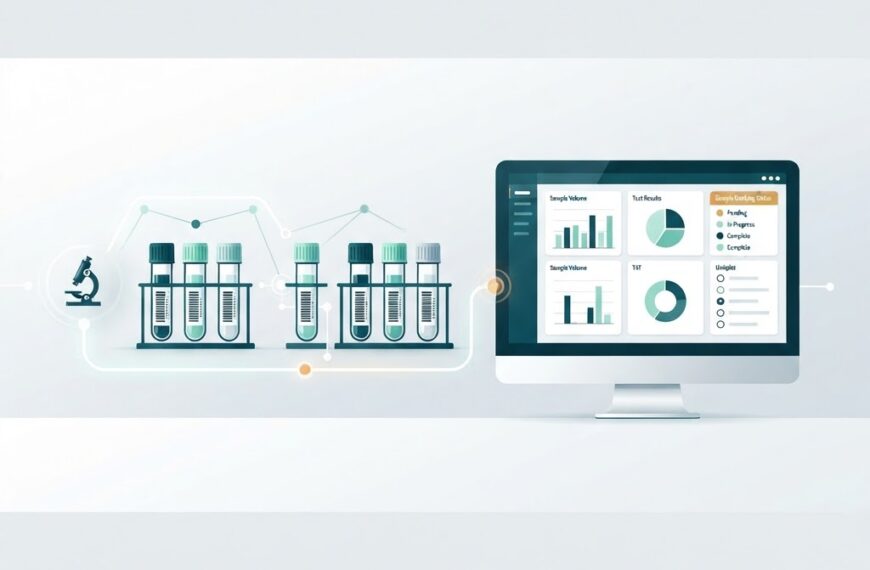

A Laboratory Information Management System (LIMS) is only as valuable as the features it actually uses day to day. For a diagnostic laboratory, a LIMS is not a research tool — it is the operational backbone that tracks every sample from collection to report delivery, enforces quality standards, and keeps the lab audit-ready. In our earlier guide, What Is LIMS?, we covered the fundamentals. Here we go deeper: the specific features that matter for diagnostic labs, why each one counts, and what to look for when evaluating a system.
Why Feature Selection Matters for Diagnostic Labs
Diagnostic laboratories operate under stricter constraints than research labs. A missed barcode, a delayed report, or a quality-control failure can directly affect patient care. Regulators such as the National Accreditation Board for Testing and Calibration Laboratories (NABL) in India and standards like ISO 15189 expect laboratories to demonstrate traceability, data integrity, and controlled workflows. A LIMS with the right feature set helps a lab meet those expectations without drowning in manual paperwork.
Not every LIMS ships with every feature enabled out of the box. Understanding which features are essential — and which are optional add-ons — helps lab managers avoid paying for capabilities they will never use while ensuring nothing critical is missing.
Sample Accessioning and Barcode Tracking
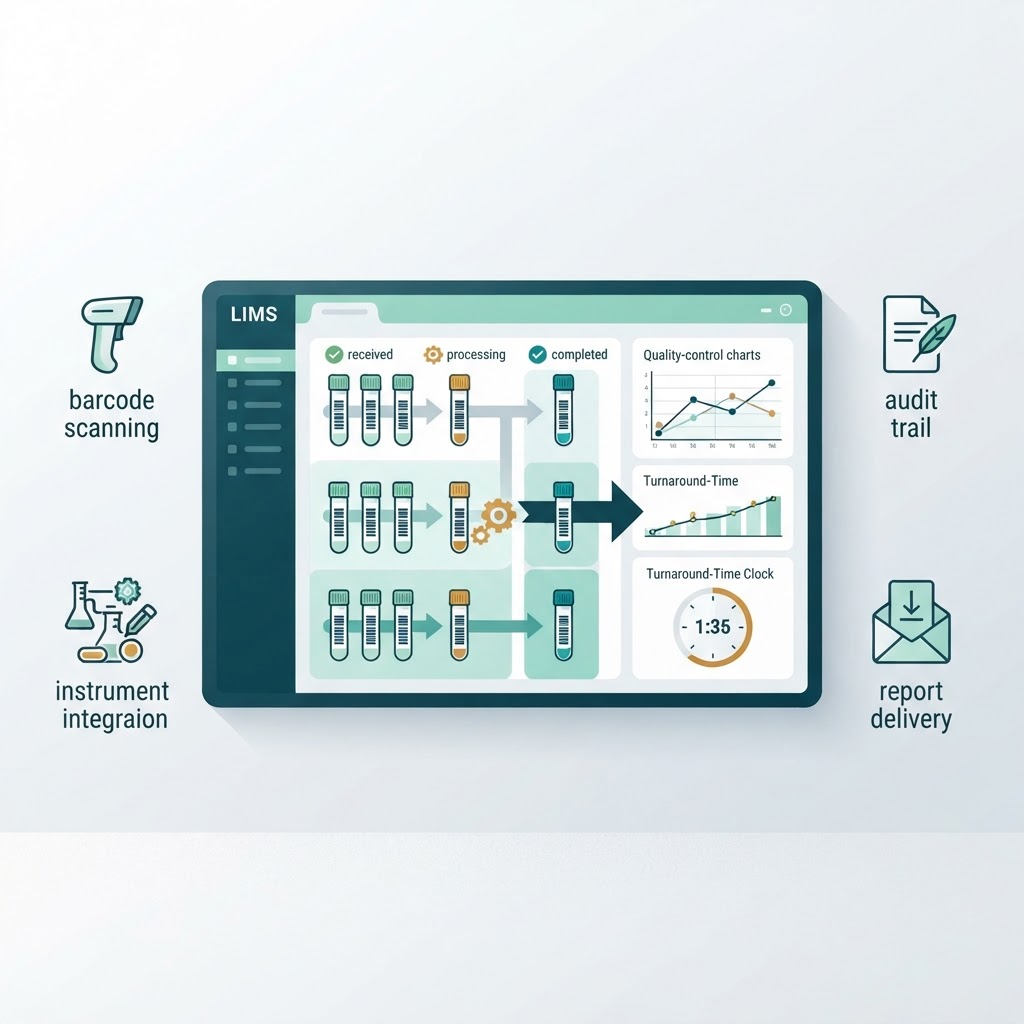
The first job of any diagnostic LIMS is to uniquely identify and track every sample. Accessioning is the process of registering a sample into the system, assigning it a unique identifier, and linking it to the patient, the ordering physician, and the requested tests. From that point on, every action — aliquoting, routing to an analyzer, result entry, storage, or disposal — is logged against that identifier.
Barcode-based tracking is the standard mechanism. Samples are labeled with barcoded tubes at collection time, and every subsequent workstation scans the barcode rather than typing a number. This eliminates manual transcription errors and creates an unbroken chain of custody from the phlebotomist’s collection bag to the final stored vial. A LIMS without robust barcode support is barely better than a spreadsheet.
Workflow and Test Routing
A diagnostic lab runs dozens or hundreds of tests across multiple departments — hematology, biochemistry, microbiology, serology, and molecular diagnostics. A LIMS workflow engine routes each sample to the correct department, queue, or instrument based on the test panel ordered. It also enforces the correct sequence: a sample cannot be marked as ready for analysis until accessioning and quality checks are complete.
Good workflow features also support batching, reflex testing (automatically ordering a follow-up test when a primary result exceeds a threshold), and rerun logic. These rules reduce manual intervention and keep the lab running smoothly even under high volume.
Instrument Integration
Diagnostic labs depend on analyzers and instruments from multiple vendors — hematology analyzers, immunoassay platforms, HPLC systems, PCR machines. A LIMS should connect to these instruments directly, either through vendor-provided interfaces, HL7, ASTM, or standard file-based protocols, and automatically pull results without manual entry.
This bi-directional integration — sending test orders to the instrument and receiving results back — is one of the highest-impact features in a diagnostic LIMS. It closes the loop on human error, speeds up turnaround times, and ensures that results land in the LIMS with full traceability.
Quality Control Management
Quality control (QC) is not optional in a diagnostic lab. ISO 15189 and NABL accreditation both require a documented quality management system. A LIMS with QC features tracks control samples alongside patient samples, applies Westgard rules (or similar statistical rules) to detect shifts or trends, and flags runs that fall outside acceptable limits.
A strong QC module will:
- Log control-lot numbers, expiry dates, and calibration data
- Automatically flag out-of-range results in real time
- Generate Levey-Jennings charts for trend analysis
- Maintain a historical QC repository for audit and accreditation reviews
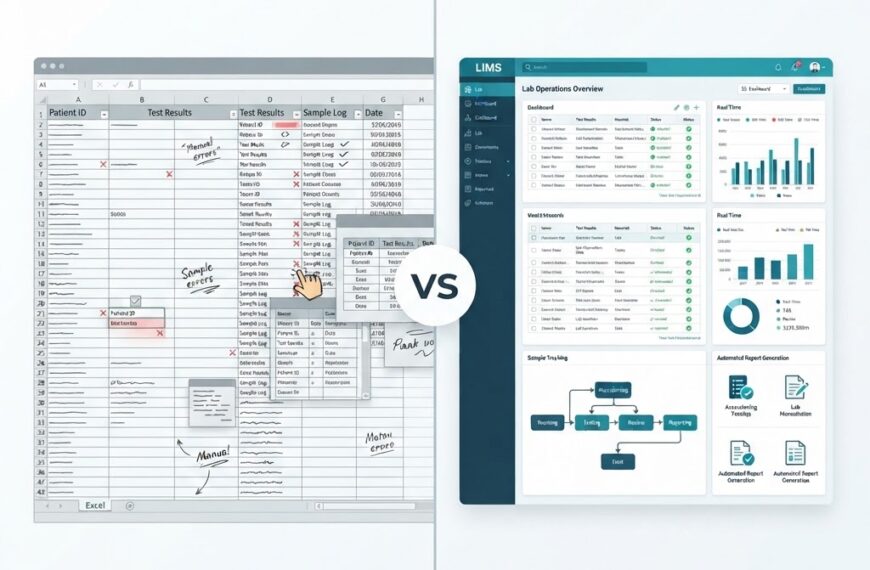
Without built-in QC, labs end up running parallel spreadsheets — precisely the problem the LIMS was meant to solve.
Result Entry, Validation, and Authorization
Once an instrument sends results (or a technologist enters them manually), the data must be reviewed and authorized before the report reaches the patient or physician. A LIMS supports this through multi-level validation workflows: technical validation (is the result readable and within measurement range?), clinical validation (is the result medically plausible given the patient’s age, gender, and history?), and final authorization by a qualified pathologist or lab director.
Role-based access control ensures that only authorized personnel can approve or modify results. This separation of duties is a core requirement of ISO 15189 and similar standards.
Report Generation and Delivery
The final output of a diagnostic lab is a report. A LIMS should generate formatted, professional reports that include patient demographics, test results, reference ranges, interpretive comments, and the authorized signatory’s credentials. Reports may need to be delivered through multiple channels:
- Printed copies for walk-in patients
- Email to ordering physicians
- Secure patient portals or mobile apps
- HL7 messages to a hospital information system (HIS) or electronic medical record (EMR)
The ability to customize report templates per test, per referral partner, or per branch is essential for multi-location labs that serve different client groups.
Audit Trail and Regulatory Compliance
An audit trail is a tamper-evident record of every action taken in the system — who did what, when, and why. For diagnostic labs, this is a hard requirement under standards like ISO 15189, ISO/IEC 17025, and, where applicable, FDA 21 CFR Part 11 for electronic records and signatures.
Key compliance features to look for:
| Feature | What It Does | Why It Matters |
|---|---|---|
| Full audit trail | Records every create, edit, delete, and approval action with timestamp and user | Proves data integrity during inspections |
| Electronic signatures | Binds a signature to identity, timestamp, and meaning (review, approve, reject) | Replaces paper sign-off; 21 CFR Part 11 compliant |
| Role-based access | Restricts actions by user role (phlebotomist, technologist, pathologist, admin) | Enforces separation of duties |
| Data retention controls | Enforces how long records are kept and who can archive or purge them | Matches legal and accreditation requirements |
These features are not just nice-to-haves; they are the difference between a system that a regulator trusts and one that requires parallel paper records.
Inventory and Reagent Management
Reagents, consumables, and control materials have expiry dates, lot numbers, and storage requirements. A LIMS with inventory features tracks stock levels in real time, flags items nearing expiry, and can trigger reorder alerts before a critical reagent runs out mid-run.
For diagnostic labs running high throughput, this avoids the costly scenario of redoing a batch because an expired reagent was used — or worse, releasing results that need to be recalled.
Dashboards and Turnaround Time Monitoring
Diagnostic labs live and die by turnaround time (TAT). A LIMS dashboard should give lab managers a real-time view of:
- Samples in each workflow stage (received, processing, completed, delivered)
- TAT by test, department, or shift, against defined targets
- Pending validations or authorizations
- Instrument status and workload distribution
This visibility allows managers to reallocate resources before bottlenecks become delays. A dashboard that only shows historical reports is far less useful than one that flags problems as they develop.
Interfacing with HIS, EMR, and Reference Labs
No diagnostic lab is an island. A LIMS must integrate smoothly with:
- Hospital information systems (HIS) for test ordering and result delivery
- Electronic medical records (EMR) for clinical context
- Reference laboratories for send-out tests, with electronic chain of custody for referred samples
- Billing and insurance systems for claims generation
HL7 is the most common interoperability standard in healthcare. A LIMS that supports HL7 messaging (or has pre-built connectors for popular HIS/EMR systems) dramatically reduces integration time and cost.
Human Error Reduction and Data Integrity
Many of the features above converge on a single goal: reducing human error and ensuring data integrity. Barcode tracking eliminates misidentification. Instrument integration eliminates transcription errors. QC validation catches analytical problems. Audit trails make every action traceable. Together, these features ensure that when a report leaves the lab, it is correct, attributable, and defensible.
For labs evaluating a LIMS, the question is not “how many features does it have?” but “does it have the features that protect patient safety and lab credibility?” A system with a strong core — accessioning, workflow, QC, reporting, and audit — will outperform one with hundreds of features that are never used.
Choosing Features That Fit Your Lab
Every diagnostic lab is different. A single-branch reference lab, a multi-city network, a hospital-based pathology department, and a standalone diagnostic center will all prioritize different features. The practical approach is to:
- Map your current workflow from sample collection to report delivery.
- Identify the steps most prone to error or delay.
- Match those steps to the LIMS features that address them.
- Prioritize features that directly support your accreditation requirements.
- Evaluate integration needs with existing instruments, HIS, and billing systems before committing.
IdLabNet, Ideativemind’s LIMS product, is built around these core diagnostic-lab features — learn more here or contact us to discuss how it fits your lab’s specific workflow.
Summary
The core LIMS features a diagnostic laboratory needs are not exotic — they are the features that ensure every sample is tracked, every result is validated, every report is delivered, and every action is auditable. Sample accessioning and barcode tracking, workflow routing, instrument integration, quality control, result validation, report generation, audit trails, inventory management, dashboards, and interoperability: these are the building blocks of a laboratory that can scale without sacrificing accuracy or compliance. When evaluating a LIMS, focus on whether these features are robust, configurable, and aligned with your lab’s real daily workflow — not on feature lists that look impressive on paper but never get used.

 By
By