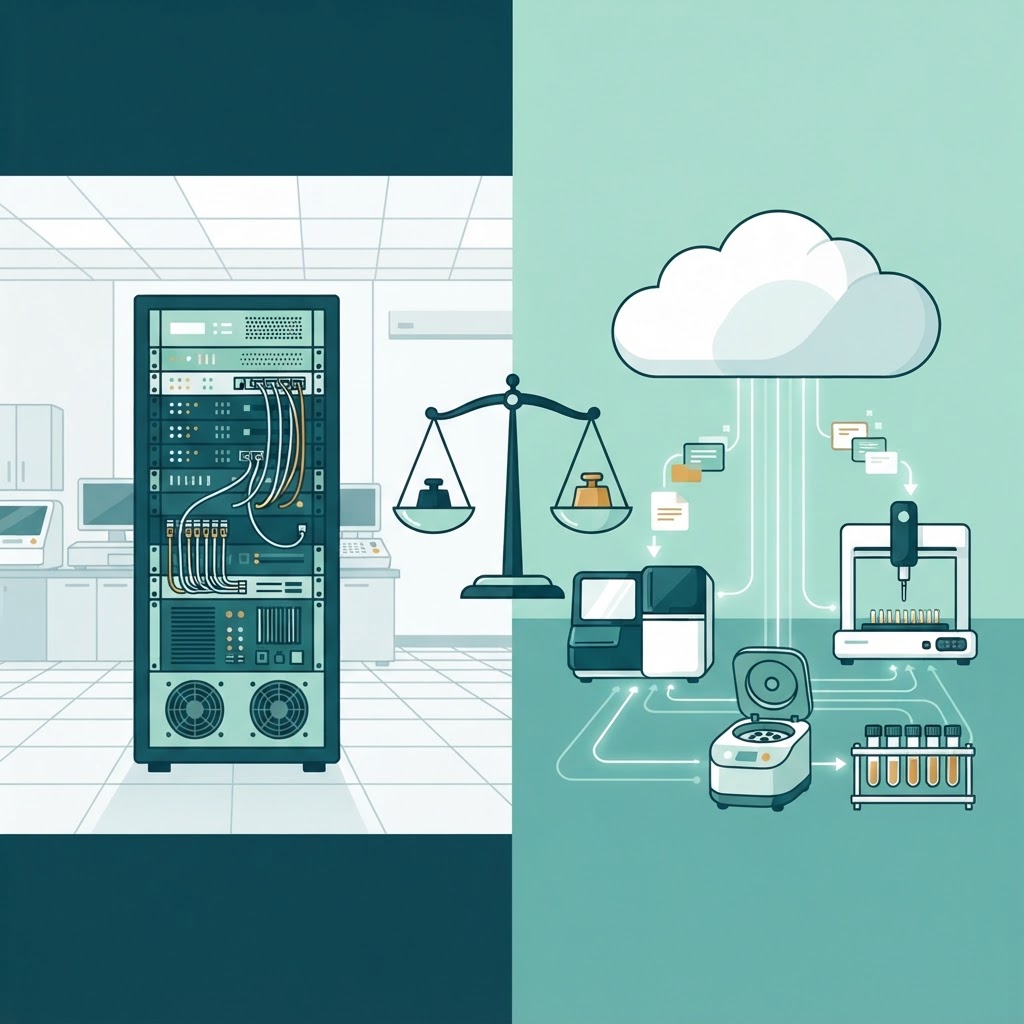

When a diagnostic laboratory decides to adopt a Laboratory Information Management System (LIMS), one of the first decisions is where the software will live: on a server inside the lab, or in the cloud. The choice between cloud vs on-premise LIMS affects everything from upfront costs and IT staffing to data security, compliance, and how quickly the system can scale. This guide breaks down both options so lab directors and IT decision-makers can choose with confidence.
What Does “On-Premise LIMS” Mean?
An on-premise LIMS is installed on servers that the laboratory owns and physically controls. The lab’s IT team (or an external vendor) manages the hardware, operating system, database, application software, backups, and security patches. All data stays within the lab’s own network.
This model has been the traditional choice for decades, especially for labs with strict data residency requirements or limited internet infrastructure. Many legacy LIMS platforms were built for this deployment style.
Advantages of On-Premise LIMS
- Full data control: Patient data, test results, and audit trails never leave the lab’s network, which can simplify certain regulatory and privacy discussions.
- No internet dependency: The system continues to function even if the internet connection drops, which matters for labs in areas with unreliable connectivity.
- Customisation depth: Direct access to the server and database allows highly custom integrations, scripts, and workflows that may be harder on a cloud platform.
- Predictable long-term cost: After the initial hardware and license investment, ongoing costs are limited to maintenance and support, with no recurring per-user or per-month cloud fees.
Disadvantages of On-Premise LIMS
- High upfront cost: Servers, licenses, IT infrastructure, and setup require significant capital expenditure before the system is usable.
- IT staffing burden: The lab needs dedicated IT personnel or vendor support to handle updates, backups, security patches, and hardware failures.
- Slow scaling: Adding a new branch or collection centre requires additional server capacity, configuration, and potentially new hardware purchases.
- Update delays: Software upgrades must be scheduled, tested, and deployed manually, which can leave the lab behind on new features and security fixes.
What Does “Cloud LIMS” Mean?
A cloud LIMS is hosted on infrastructure managed by a cloud provider (such as AWS, Google Cloud, or Microsoft Azure) or directly by the LIMS vendor as a SaaS product. The lab accesses the system through a web browser. The provider handles server maintenance, security patching, backups, and uptime.
Cloud LIMS adoption has grown significantly as laboratories prioritise remote access, multi-site coordination, and faster deployment. If you are new to the broader concept of cloud-hosted software, our guide on SaaS explained covers the fundamentals.
Advantages of Cloud LIMS
- Lower upfront cost: No server hardware to buy. Labs typically pay a monthly or annual subscription, turning a capital expense into an operating expense.
- Faster deployment: A cloud LIMS can be configured and live in days or weeks, not months. Our LIMS implementation guide covers the overall rollout process regardless of deployment model.
- Automatic updates: The provider pushes new features, bug fixes, and security patches without any effort from the lab’s team.
- Remote and multi-site access: Pathologists, technicians, and administrators can access the system from any location, which is essential for labs with multiple branches or home collection teams.
- Scalability: Adding users, branches, or storage is a configuration change, not a hardware purchase.
- Built-in redundancy: Cloud providers operate data centres with redundancy and disaster recovery that most individual labs cannot match on their own budgets.
Disadvantages of Cloud LIMS
- Internet dependency: If the connection goes down, the lab cannot access the system unless offline mode is available.
- Data residency concerns: Some regulators or institutional policies require patient data to stay within specific geographic boundaries, which may limit cloud options.
- Recurring cost: Subscription fees accumulate over time and can exceed an on-premise total cost of ownership after several years, depending on the number of users and branches.
- Limited customisation: Cloud platforms may restrict direct database access or custom scripting to protect the shared infrastructure.
- Vendor lock-in: Moving data out of a cloud LIMS to another platform can be complex and costly if the vendor does not offer clean export tools.
Cloud vs On-Premise LIMS: Side-by-Side Comparison
| Factor | Cloud LIMS | On-Premise LIMS |
|---|---|---|
| Upfront cost | Low (subscription model) | High (hardware + licenses) |
| Time to deploy | Days to weeks | Weeks to months |
| IT staffing | Minimal (vendor-managed) | Dedicated IT team needed |
| Scalability | Add users/branches instantly | Requires new hardware or config |
| Updates | Automatic, pushed by vendor | Manual, scheduled by IT |
| Internet dependency | Required for access | Not required |
| Data control | Shared with cloud provider | Full local control |
| Disaster recovery | Built-in by provider | Lab must build and maintain |
| Customisation | Limited by platform | Deep custom access |
| Long-term cost | Ongoing subscription | Lower after initial investment |
Compliance and Data Security Considerations
For diagnostic laboratories in India, compliance with NABL accreditation standards and ISO 15189 is non-negotiable. Both cloud and on-premise LIMS can meet these requirements, but the responsibilities differ.
With an on-premise system, the lab is solely responsible for access controls, audit trails, data backups, and server security. With a cloud LIMS, the provider manages infrastructure security, but the lab remains responsible for user access policies, role-based permissions, and ensuring the vendor’s data handling meets NABL and ISO 15189 requirements. ISO/IEC 27001 certification for the cloud provider’s data centres is a useful indicator of security maturity.
Either way, the LIMS must support features like role-based access control, full audit trails, electronic signatures, and data integrity controls. These are covered in detail in our guide to core LIMS features.
When to Choose Cloud LIMS
A cloud LIMS is generally the better fit when:
- The lab has multiple branches or collection centres that need real-time access to a shared system.
- The IT team is small or non-existent, and the lab prefers the vendor to handle infrastructure.
- Fast deployment is a priority, such as a new lab opening soon.
- The lab wants to avoid large upfront capital expenditure.
- Home collection or field teams need mobile access to sample registration and reports.
For multi-site labs especially, cloud deployment eliminates the need to replicate servers and databases at each branch. If your lab is still managing data across spreadsheets, read our analysis of LIMS vs Excel to understand the gap.
When to Choose On-Premise LIMS
An on-premise LIMS may be the right choice when:
- Regulatory or institutional policy mandates that patient data stays entirely within the lab’s physical premises.
- Internet connectivity is unreliable or unavailable at the lab location.
- The lab has a mature IT team and existing server infrastructure that can host the LIMS.
- Deep customisation or integration with on-site lab instruments requires direct database or server access.
- The lab calculates that total cost of ownership over five or more years favours a one-time investment over ongoing subscriptions.
The Hybrid Option
Some LIMS vendors offer a hybrid model: the primary system runs in the cloud, but a local server caches critical data and provides limited functionality during internet outages. This can combine the scalability and convenience of cloud with the resilience of on-premise. Not all vendors support this, so it is worth asking during evaluation. Our buyer’s guide to choosing LIMS software lists the evaluation questions to ask.
Cost Over Time: Which Wins?
The total cost of ownership depends heavily on the lab’s size and growth trajectory. Here is a simplified illustration:
| Cost Factor | Cloud (Year 1–5) | On-Premise (Year 1–5) |
|---|---|---|
| Year 1 | Low setup + first subscription | High (servers, licenses, setup) |
| Years 2–5 | Steady subscription cost | Maintenance + support only |
| Scaling to 3 branches | Minimal additional cost | New hardware per branch |
| IT staff time | Minimal | Significant |
| Break-even point | Typically never (recurring) | Often year 3–4 |
For a single-site lab with existing IT infrastructure, on-premise may cost less over a five-year horizon. For a growing multi-site lab, cloud deployment usually keeps total costs lower because the scaling cost is incremental rather than requiring repeated hardware purchases.
How IdLabNet Fits In
Ideativemind’s own LIMS product, IdLabNet, is built as a cloud-first platform designed for diagnostic labs that need multi-branch access, home collection integration, and rapid deployment without managing servers. For labs with specific on-premise requirements, the team can discuss custom deployment options. You can contact the team to explore what fits your lab.
Decision Checklist
Use this quick checklist to guide your decision:
- How many sites need access to the LIMS?
- Is reliable internet available at all locations?
- Does any regulation or policy require data to stay on-premise?
- Does the lab have dedicated IT staff or a trusted vendor for maintenance?
- What is the budget structure: capital expenditure or operating expenditure?
- How quickly does the system need to go live?
- Will the lab add branches or collection centres in the next 2–3 years?
- Does the lab need deep custom integrations with on-site instruments?
Conclusion
There is no universal winner in the cloud vs on-premise LIMS debate. Cloud deployment wins on speed, scalability, and lower upfront cost, making it the default choice for most growing diagnostic labs. On-premise still has a clear place for labs with strict data residency rules, unreliable internet, or deep customisation needs. The right choice depends on your lab’s size, growth plans, IT capacity, and regulatory environment.
If you are still exploring whether a LIMS is right for your lab, start with our complete guide to LIMS, then move to the buyer’s guide to evaluate vendors against your specific requirements.

 By
By