
Most growing businesses hit the same wall: there are not enough hours in the day to manually find, qualify, and follow up with every potential customer. Lead generation automation removes that ceiling. When done well, it lets a small team capture, qualify, route, and nurture leads at a scale that would otherwise require a full-time salesforce.
This playbook walks through what lead generation automation actually involves, the components of an automated lead engine, the tools you need, and a step-by-step process for putting it together. No hype, just the mechanics.
What Is Lead Generation Automation?
Lead generation automation is the use of software to handle repetitive lead-related tasks that a person would otherwise do manually. This includes capturing leads from web forms, scoring them based on likelihood to buy, routing them to the right salesperson, and nurturing them with automated email sequences until they are ready for a conversation.
The goal is not to remove humans from the process. It is to make sure that by the time a human gets involved, they are talking to the right person, at the right moment, with the right context. According to Salesforce, automation lets lean teams focus on closing deals by taking over the repetitive work of finding and qualifying prospects.
A McKinsey finding cited by Salesforce notes that 50% of CMOs see AI-enabled marketing as a top investment area for 2026. The shift toward automation is well underway.
The Four Stages of an Automated Lead Engine
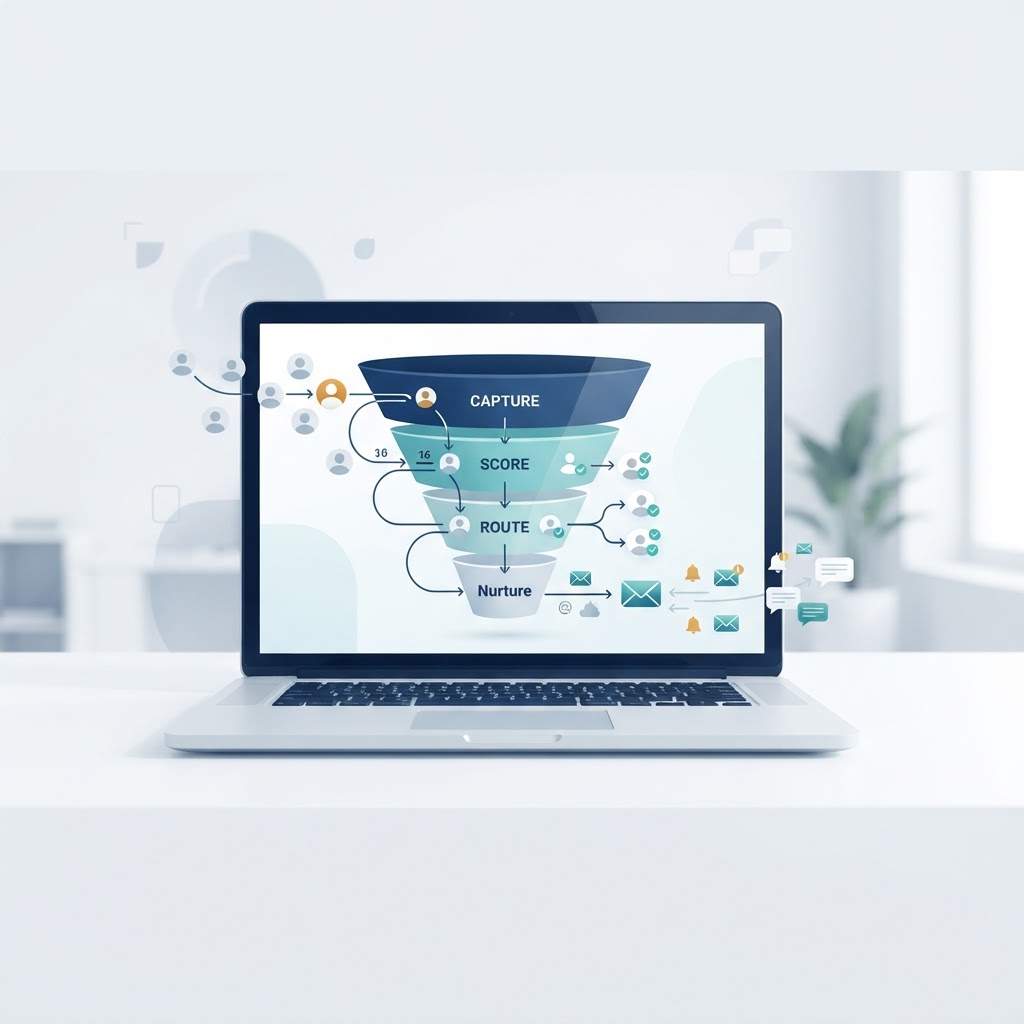
A functional lead generation system is not one tool. It is a pipeline with four connected stages.
1. Lead Capture
This is how a prospect enters your system. Common capture channels include:
- Web forms on landing pages, pricing pages, or contact pages
- Chatbots that collect visitor information in real time
- Lead magnets such as ebooks, templates, or webinars exchanged for an email address
- Social media lead forms on platforms like LinkedIn and Meta
Automation starts here. The form or chatbot should send the lead data directly to your CRM or marketing automation platform, not to an email inbox where someone manually enters it into a spreadsheet.
2. Lead Scoring
Not every lead is ready to buy. Lead scoring assigns a numerical value to each prospect based on attributes like job title, company size, and behavior on your site. A higher score signals a warmer lead.
Scoring models typically combine two types of data:
| Data Type | Examples | What It Tells You |
|---|---|---|
| Demographic/Firmographic | Job title, industry, company size, location | Whether the lead fits your ideal customer profile |
| Behavioral | Pages visited, emails opened, forms filled, content downloaded | How engaged the lead is right now |
A simple scoring rule might give 10 points for visiting the pricing page, 5 points for opening an email, and 20 points for downloading a case study. Once a lead crosses a threshold, say 50 points, the system flags them as “sales-ready” and routes them to a rep.
3. Lead Routing
Once a lead is qualified, automation sends it to the right person instantly. Routing rules can be based on:
- Geography: leads in the western region go to rep A
- Company size: enterprise leads go to the senior sales team
- Round-robin: leads distributed evenly across the team
- Product interest: leads interested in a specific product go to a specialist
Speed matters here. A well-known InsideSales.com study referenced widely in sales literature found that response times under five minutes dramatically improve contact and qualification rates. Manual routing where a marketing person downloads a CSV and emails it to sales does not meet that bar. Automated routing does.
4. Lead Nurturing
Most leads are not ready to buy on day one. Nurturing keeps them engaged with relevant content over time through automated email sequences, retargeting ads, and periodic outreach.
A typical nurture flow looks like this:
- Day 0: Welcome email with the lead magnet they requested
- Day 2: Educational article related to their interest
- Day 5: Case study or customer story
- Day 9: Product-focused email with a soft call to action
- Day 14: Personal outreach from sales if the lead is scored as ready
Everything runs automatically. The prospect gets timely, relevant content without anyone on your team scheduling individual sends.
Tools You Need to Build the Pipeline
You do not need a massive tech stack. A few well-integrated tools cover the full pipeline.
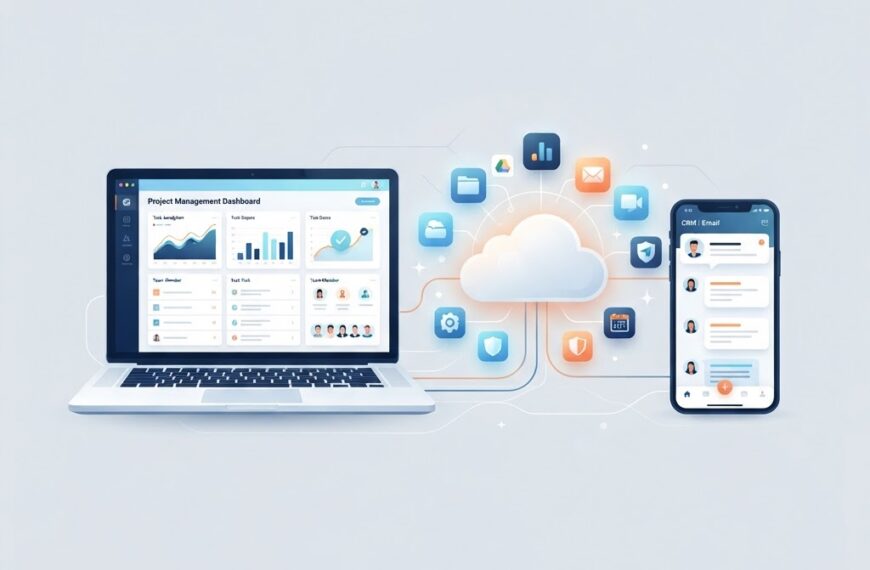
CRM (Customer Relationship Management)
Your CRM is the central database where every lead lives. It tracks interactions, stores contact details, and shows where each prospect is in the funnel. Popular options include Salesforce, HubSpot, and Pipedrive. The CRM you choose should support API integrations so your other tools can talk to it automatically. For more on how APIs connect systems, see our guide on what is API automation.
Marketing Automation Platform
This is where email sequences, lead scoring, and nurture workflows live. HubSpot Marketing Hub, Marketo (Adobe), and ActiveCampaign are common choices. These platforms connect to your CRM and trigger actions based on lead behavior.
Integration Layer
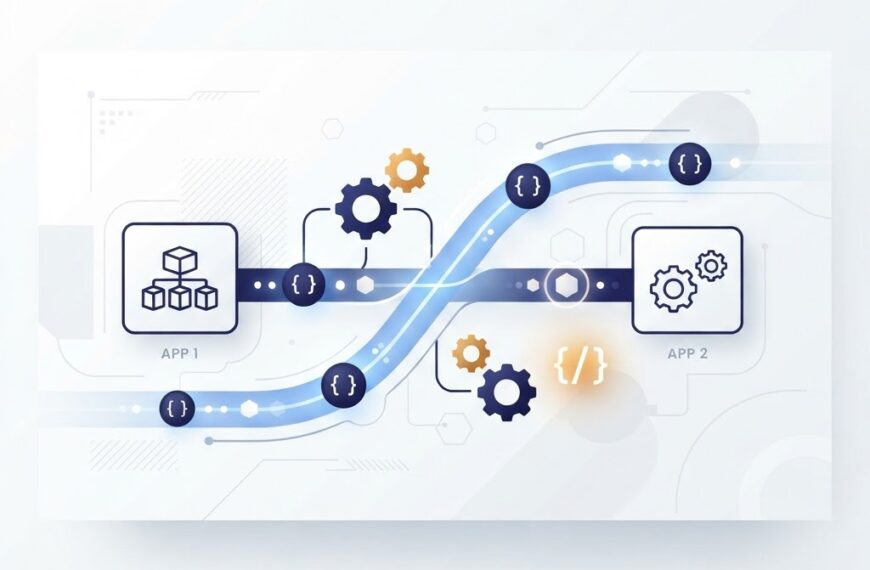
If your tools do not have native integrations, platforms like Zapier, Make (formerly Integromat), and n8n fill the gap. They let you build workflows that move data between systems without custom code. For example, when a lead fills a form on your website, an integration tool can push the data to your CRM, add the contact to your email platform, and send a Slack notification to your sales team, all in one automated workflow.
Landing Page and Form Builder
Tools like Unbounce, Leadpages, or the form builders built into most marketing platforms let you create conversion-optimized pages without a developer. The key is that the form submissions connect directly to your automation pipeline.
Step-by-Step: Building Your Automated Lead Generation System
Here is a practical sequence for putting it all together.
Step 1: Define Your Ideal Customer Profile
Before automating anything, get clear on who you are targeting. Write down the attributes of your best customers: industry, company size, job title, pain points. This profile drives your lead scoring rules and ad targeting.
Step 2: Set Up Your Capture Points
Create at least one landing page with a form and one lead magnet. A common starting point is a downloadable guide or template relevant to your audience. Make sure the form connects to your CRM or marketing automation tool, not to an email that sits unread.
Step 3: Configure Lead Scoring
Start simple. Assign points for fit attributes (job title, industry) and engagement actions (form fill, email open, page visit). You can refine the model later based on which leads actually convert. Do not overcomplicate this on day one.
Step 4: Build Your Nurture Sequence
Write a 4 to 6 email sequence that provides value before asking for anything. Each email should have one clear call to action. Map the sequence to early, mid, and late funnel stages so the content matches where the prospect is.
Step 5: Set Up Routing Rules
Decide how qualified leads get assigned. If you have a sales team, route by territory or round-robin. If you are a solo founder, route everything to yourself so nothing falls through the cracks.
Step 6: Connect With Integration Tools
Use Zapier, Make, or n8n to connect capture points to your CRM and marketing platform. Test the full flow end to end: fill the form, confirm the lead appears, check the email fires, verify the score updates.
Step 7: Measure and Refine
Track these key metrics:
| Metric | What It Tells You |
|---|---|
| Conversion rate (visitor to lead) | Whether your landing pages and forms work |
| Lead quality (qualified lead rate) | Whether your scoring and targeting are accurate |
| Cost per lead | Whether your channels are efficient |
| Lead to customer rate | How well your nurture and sales process converts |
| Time to first response | How quickly automated routing delivers leads |
Run the system for 30 days, then review the data. Drop low-performing channels, adjust scoring thresholds, reorder nurture emails based on open rates.
Common Mistakes to Avoid
- Automating before defining your process. If your manual lead gen is a mess, automation will scale the mess. Map the human workflow first, then automate it.
- Over-scoring low-intent actions. Opening one email does not make someone sales-ready. Weight scores toward high-intent actions like visiting pricing pages or requesting a demo.
- Ignoring data quality. Duplicate leads, missing fields, and outdated information degrade every downstream step. Clean your database regularly.
- Set and forget. Automation needs monitoring. Check your workflows monthly for broken integrations, stale content, and declining performance.
- Neglecting compliance. If you collect leads in the EU or UK, GDPR requires explicit consent and clear privacy policies. California has similar requirements under CCPA. Make sure your forms include consent checkboxes and your tools store consent records.
How AI Is Changing Lead Generation Automation
AI is extending what automation can do beyond rule-based workflows. Key developments include:
- Predictive lead scoring: machine learning models analyze historical conversion data to score leads by likelihood to close, often outperforming manual rules
- Conversational AI: chatbots can qualify leads through natural dialogue and book meetings without human intervention
- Content personalization: AI tools dynamically tailor email content and website experiences based on individual prospect behavior
For more on how AI agents are being used in business contexts, see our article on AI agents for business use cases. And if you are exploring broader digital transformation, our overview of empowering businesses with cutting-edge IT solutions covers the full picture.
Bottom Line
Lead generation automation is not a magic button. It is a system: capture leads, score them, route them, and nurture them, with tools connected through integrations. Built correctly, it lets a small team manage a pipeline that would otherwise require a full-time sales floor. Start with a simple workflow, measure the results, and add complexity only when the data tells you to.
If your business needs help building custom automation workflows or integrating your tools, Ideativemind builds software solutions tailored to your growth pipeline.

 By
By