
So you understand what an AI agent is and how the architecture works under the hood. The natural next question: how do you actually build one?
This guide walks through the practical side. We cover the prerequisites, the main frameworks available today, the core components every agent needs, and a step-by-step approach to building your first working agent. No hype, just the tools and steps that matter.
If you are new to the concept, start with our plain-English guide to AI agents and our architecture breakdown before diving in here.
Prerequisites: What You Need Before You Start
Building an AI agent is not the same as using ChatGPT. You need a few fundamentals first.
Programming basics
Python is the dominant language for agent development. Most major frameworks, including OpenAI’s Agents SDK, LangChain, and Microsoft AutoGen, are Python-first. You should be comfortable with:
- Writing and running Python scripts
- Using packages via pip or a virtual environment
- Making HTTP requests and handling JSON responses
- Basic error handling (try/except patterns)
If you have built even a simple API client or data script, you are ready.
Understanding LLMs and prompts
You do not need to train a model. But you should understand:
- How large language models generate text from prompts
- The difference between system prompts, user messages, and tool-call responses
- Token limits and why context windows matter
- The concept of temperature and model parameters
If you have used any LLM API, even casually, this box is checked.
An API key
You need access to at least one LLM provider. The most common starting points:
- OpenAI API (GPT-4o, GPT-4o-mini) — most frameworks support it natively
- Anthropic API (Claude) — strong at reasoning and agentic tasks
- Open-source models via Ollama or vLLM (Llama, Mistral) — for self-hosted setups
Pick one, sign up, and generate an API key. Store it securely as an environment variable, never in your code.
Choosing a Framework
You could build an agent from scratch using raw API calls, but a framework saves significant time. Here are the main options as of 2025:
| Framework | Best For | Language | Complexity |
|---|---|---|---|
| OpenAI Agents SDK | Simple, single-agent apps with tool calling | Python | Low |
| LangChain / LangGraph | Custom workflows, multi-step reasoning, stateful agents | Python, JS | Medium |
| Microsoft AutoGen | Multi-agent conversations and collaboration | Python | Medium |
| CrewAI | Role-based agent teams (researcher, writer, reviewer) | Python | Low-Medium |
OpenAI Agents SDK
OpenAI released the Agents SDK as an open-source Python library. It provides a straightforward way to define an agent with instructions, attach tools, and run a conversation loop. If you are starting out and already have an OpenAI API key, this is the easiest path.
LangChain and LangGraph
LangChain has long been the most popular orchestration layer for connecting LLMs to tools and data. LangGraph, its newer companion, handles stateful, multi-step agent workflows using a graph model. Choose LangGraph when your agent needs branching logic, memory across turns, or human-in-the-loop checkpoints.
Microsoft AutoGen
AutoGen specializes in multi-agent conversations. You define multiple agents that talk to each other, each with a role and perspective. This is useful for tasks like research, code review, or debate-style workflows.
CrewAI
CrewAI lets you define “crews” of agents with distinct roles (a researcher gathers data, a writer drafts, a reviewer critiques). It is intuitive for collaborative workflows and has a lower learning curve than LangGraph.
Core Components Every Agent Needs
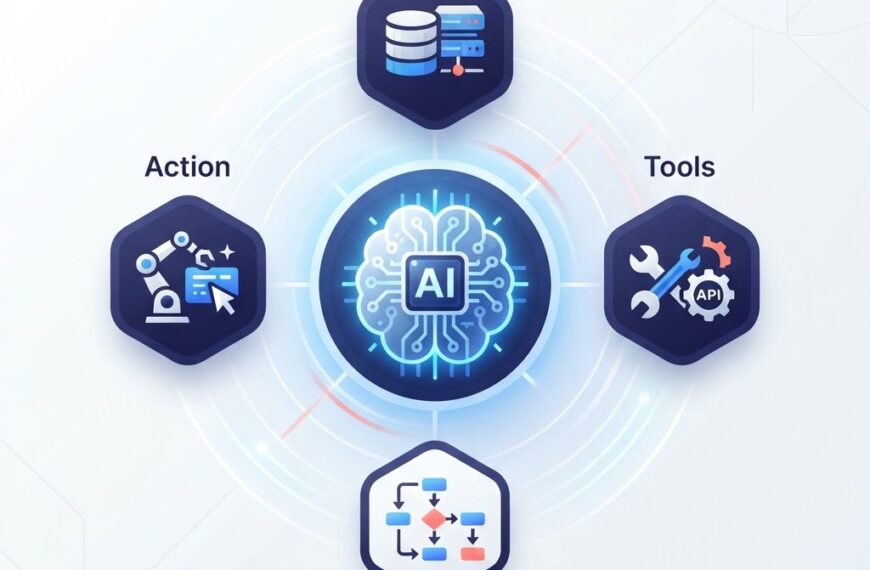
Regardless of framework, your agent needs four building blocks:
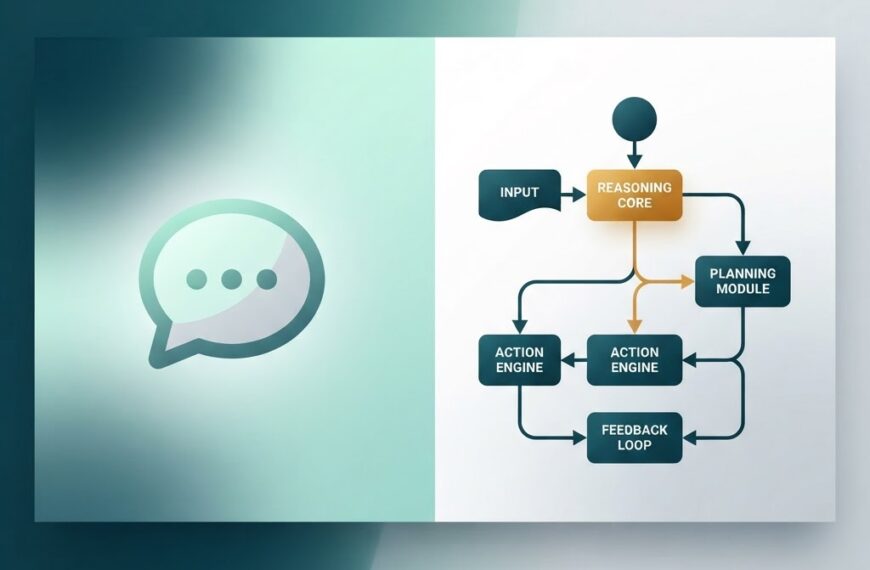
1. A language model
This is the reasoning engine. You pass it the conversation history and instructions, and it decides what to do next. The model you choose affects speed, cost, and reasoning quality. GPT-4o-mini is a good starting point for prototyping; GPT-4o or Claude Sonnet better for complex reasoning.
2. Tools
Tools are the functions your agent can call to interact with the outside world. A tool is just a Python function with a clear description. Examples:
- A web search function
- A calculator
- A database query
- An API call to an internal system
- A file reader
The LLM reads the tool descriptions and decides when to call them. The framework executes the call, returns the result, and the LLM incorporates it into its next response.
3. Instructions (system prompt)
Your instructions define the agent’s role, behavior, and constraints. A good system prompt answers:
- What is the agent’s goal?
- What tools does it have, and when should it use them?
- What should it never do?
- How should it format responses?
Clear, specific instructions dramatically improve agent quality. Vague prompts produce inconsistent results.
4. Memory
At minimum, the agent needs short-term memory: the conversation history from the current session. For agents that work across sessions, you may also need:
- Long-term memory — storing facts, preferences, or past results in a database or vector store
- Structured memory — organizing information by topic or entity rather than a raw transcript
Frameworks like LangGraph handle stateful memory natively. For simpler setups, passing conversation history on each call works for short interactions.
Step-by-Step: Building Your First Agent
Let’s build a simple research assistant agent using the OpenAI Agents SDK. This agent can answer questions and search the web for information it does not know.
Step 1: Install the SDK
pip install openai-agents
Step 2: Define a tool
A tool is a function with a type-annotated signature and a docstring. The framework reads the docstring to understand when the LLM should call the tool.
def web_search(query: str) -> str:
    """Search the web for current information.
    Use this when you need facts, news, or data you don't already know.
    """
    # Call a search API here
    return f"Search results for: {query}"
Step 3: Create the agent
from agents import Agent, Runner

research_agent = Agent(
    name="Research Assistant",
    instructions="""You are a helpful research assistant.
    Answer questions accurately. If you don't know something,
    use the web_search tool to find the answer.
    Always cite your sources.""",
    tools=[web_search],
)
Step 4: Run the agent
result = Runner.run_sync(
    research_agent,
    "What is the current ISO 15189 standard for medical labs?"
)
print(result.final_output)
That is a complete, working agent. The SDK handles the conversation loop: it sends your prompt to the model, the model decides whether to call a tool, the SDK executes the tool, returns the result to the model, and the model generates the final answer.
Step 5: Test and iterate
Run the agent with several different questions. Watch which ones trigger tool calls and which do not. Adjust your instructions based on what you observe:
- If the agent calls tools unnecessarily, add constraints to the system prompt
- If it misses obvious tool-use opportunities, make the tool descriptions clearer
- If responses are too verbose, add formatting rules
Adding More Capability
Once your basic agent works, you can extend it incrementally.
Adding multiple tools
Add more tools for different tasks: a calculator for math, a database query function for internal data, a file reader for documents. The LLM picks the right tool based on the user’s question and each tool’s description.
Adding memory
For LangGraph-based agents, you can use a checkpointer to save state between calls. For the OpenAI Agents SDK, you can maintain conversation history manually by passing prior messages on each call, or integrate a vector store like Chroma or Pinecone for long-term retrieval.
Adding multi-agent collaboration
For complex workflows, split tasks across agents. One agent researches, another writes, a third reviews. Frameworks like CrewAI and AutoGen are designed for this. The research agent’s output becomes input to the writer agent, and so on.
Common Pitfalls to Avoid
1. Overcomplicating the first version
Start with one agent, one tool, and one task. Get it working. Then add complexity. Many projects stall because developers try to build a multi-agent system before they have a single working agent.
2. Vague instructions
The system prompt is your most powerful lever. “Be helpful” is not enough. Specify the agent’s role, what tools to use when, how to format output, and what to avoid. Test different prompts and measure the difference.
3. Ignoring costs
LLM API calls cost money per token. An agent that calls tools repeatedly in a loop can rack up charges fast. Set a maximum iteration count to prevent runaway costs, and monitor token usage during development.
4. No error handling
Tools will fail. APIs time out. Rate limits hit. Wrap tool calls in try/except blocks and return error messages the LLM can understand, so the agent can recover gracefully instead of crashing.
5. Trusting agent output without verification
AI agents can hallucinate facts, misinterpret tool results, or take wrong actions. For production use, add validation steps. If an agent writes code, run tests. If it returns data, verify against the source. Treat agent output as a draft, not a final answer.
Deployment Considerations
For a prototype, running your agent locally is fine. For production:
- Wrap it in an API using FastAPI or Flask, so other systems can call it
- Add authentication to control who can trigger the agent
- Log every run including inputs, tool calls, and outputs for debugging and auditing
- Set rate limits to control costs and prevent abuse
- Monitor latency — agents with multiple tool calls can take 10-30 seconds per request
How This Connects to What Ideativemind Builds
At Ideativemind, we build custom software and AI solutions including AI agents for business operations. If you want to see how an AI agent applies to a specific industry, take a look at how IdLabNet, our LIMS platform, uses automation to streamline laboratory workflows.
Agent development is one of the most practical skills in the AI space right now. The frameworks are mature, the APIs are accessible, and the use cases are real. Start small, build something that works, and expand from there.
Need help building an AI agent for your business? Contact us — we design and ship custom AI solutions, from single-agent prototypes to production multi-agent systems.

 By
By