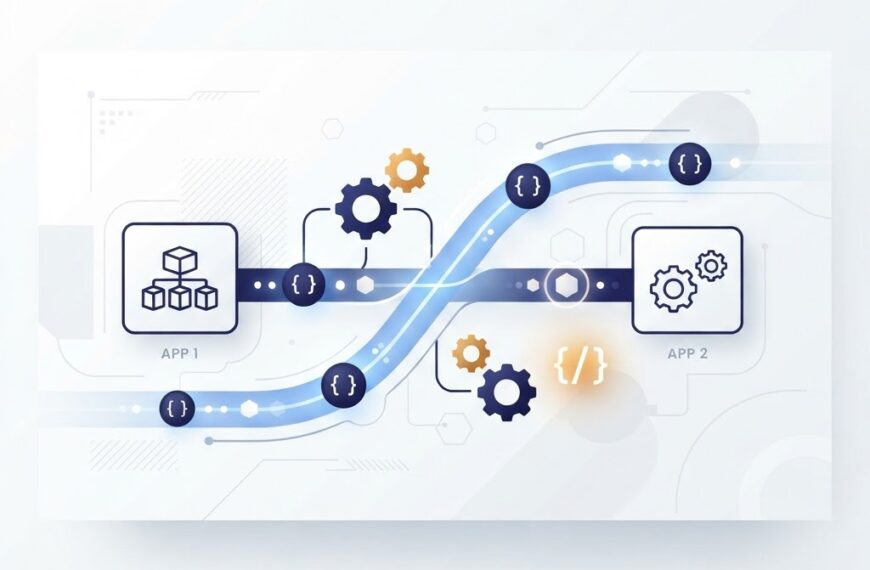

If you have ever booked a ride through an app, checked the weather on your phone, or paid for something online, you have used a REST API. REST APIs are the invisible bridges that let different software systems talk to each other across the internet. They are how your front-end app asks a server for data, how one service triggers a workflow in another, and how modern web and mobile applications stay connected.
In this beginner-friendly guide, you will learn what a REST API is, what REST actually means, how the core mechanics work, what a typical request and response look like, and why REST became the default style for web APIs.
What Is an API?
API stands for Application Programming Interface. An API is a set of rules that lets one piece of software talk to another. You can think of it as a contract: the provider publishes a list of endpoints, each with a defined input and output, and any client that follows the contract can interact with the service.
A familiar analogy is ordering food at a restaurant. You (the client) look at a menu (the API documentation), tell the waiter what you want (send a request), and the kitchen (the server) prepares it and sends it back. You do not need to know how the kitchen works. You just need to know what to ask for and what format the response comes in.
What Does REST Mean?
REST stands for Representational State Transfer. It is an architectural style for designing web APIs, introduced by Roy Fielding in his doctoral dissertation in 2000. REST is not a protocol or a standard. It is a set of principles that describe how data should be transferred between a client and a server over the web.
When an API follows these principles, it is called a REST API or a RESTful API. The key idea is that every piece of data on the server is treated as a resource, and each resource is identified by a URL.
The Six REST Constraints
Fielding defined six architectural constraints. An API must satisfy all of them to be considered truly RESTful.
| Constraint | What It Means |
|---|---|
| Client-Server | The client (front-end) and server (back-end) are separate. The client handles the user interface; the server handles data storage and logic. |
| Stateless | Each request from the client to the server must contain all the information needed to understand it. The server does not store session state between requests. |
| Cacheable | Responses must be clearly labeled as cacheable or non-cacheable. Caching improves performance by letting clients reuse recent responses. |
| Uniform Interface | All resources are accessed through a consistent, standardized interface, typically using URLs and HTTP methods. |
| Layered System | The client cannot tell whether it is connected directly to the end server or to an intermediary along the way (proxies, load balancers, gateways). |
| Code-on-Demand (optional) | Servers can temporarily extend client functionality by sending executable code (like JavaScript). This is the only optional constraint. |
Statelessness is the constraint people most often get wrong. Stateless does not mean the server stores no data. It means no session state is stored on the server between requests. If a client needs to identify itself on every request, it must send that identity token with each request instead of relying on the server to remember it.
How REST APIs Work: The Core Mechanics
REST APIs run on top of HTTP, the same protocol your browser uses to load web pages. Every interaction involves a request from the client and a response from the server. Three things define a REST request: the URL, the HTTP method, and the data payload.
URLs Identify Resources
In a REST API, every resource is identified by a URL. For example, in a library management system, you might have:
https://api.example.com/books— the collection of all bookshttps://api.example.com/books/42— a single book with the ID 42https://api.example.com/books/42/reviews— reviews for book 42
This resource-based structure makes REST APIs readable and predictable. The URL tells you what you are accessing without needing to know the underlying implementation.
HTTP Methods Define the Action
REST APIs use standard HTTP methods to tell the server what action to perform on a resource.
| Method | Purpose | Example |
|---|---|---|
| GET | Retrieve a resource or a list of resources | GET /books/42 fetches book 42 |
| POST | Create a new resource | POST /books creates a new book |
| PUT | Replace an entire resource | PUT /books/42 replaces book 42 entirely |
| PATCH | Partially update a resource | PATCH /books/42 changes only specific fields |
| DELETE | Remove a resource | DELETE /books/42 deletes book 42 |
Each method maps to a standard CRUD operation: Create, Read, Update, Delete. This consistency is one of the biggest reasons REST became so widely adopted.
Data Formats: JSON Is the Default
REST APIs can technically return data in any format: XML, HTML, plain text, or even images. But in practice, JSON (JavaScript Object Notation) has become the de facto standard for REST APIs. JSON is lightweight, readable by humans, and easy for every major programming language to parse.
A typical JSON response from a REST API looks like this:
{
  "id": 42,
  "title": "Clean Code",
  "author": "Robert C. Martin",
  "available": true
}
A Real REST API Request Example
To make this concrete, here is what a full REST API interaction looks like. Suppose you want to retrieve details about a user. You send this HTTP request:
GET /users/7 HTTP/1.1
Host: api.example.com
Authorization: Bearer eyJhbGciOi...
Accept: application/json
The server processes the request and returns a response that includes a status code, headers, and a body:
HTTP/1.1 200 OK
Content-Type: application/json

{
  "id": 7,
  "name": "Anjali Patel",
  "email": "anjali@example.com",
  "role": "admin"
}
The status code 200 tells you the request succeeded. The Content-Type header tells you the response is JSON. The body contains the data you asked for.
HTTP Status Codes You Should Know
Status codes are grouped into five ranges, each starting with a different digit.
- 1xx — Informational: The request was received and processing continues.
- 2xx — Success: The request was received, understood, and accepted.
200 OKand201 Createdare the most common. - 3xx — Redirection: Further action is needed to complete the request, such as redirecting to a new URL.
- 4xx — Client Error: The request has a problem on the client side.
400 Bad Request,401 Unauthorized,403 Forbidden, and404 Not Foundare frequent. - 5xx — Server Error: The server failed to fulfil a valid request.
500 Internal Server Errorand503 Service Unavailableare typical.
Knowing these codes is essential for debugging REST APIs. They tell you exactly where a request went wrong.
REST vs SOAP vs GraphQL
REST is not the only way to build APIs. Two other styles you will encounter are SOAP and GraphQL.
SOAP (Simple Object Access Protocol) is a stricter, protocol-based approach that uses XML for message formatting and often relies on WSDL for contract definition. SOAP is common in enterprise and banking environments where strict contracts matter.
GraphQL is a query language for APIs that lets clients request exactly the fields they need in a single request. It reduces over-fetching and under-fetching, which are common REST pain points for apps with complex data needs.
REST remains the most widely adopted style because it is simple, uses standard HTTP, works with any programming language, and maps naturally to how the web already works. If you want to dive deeper into the automation side of working with APIs, our article on what is API automation walks through the practical use of APIs in automated pipelines.
Why REST Became the Standard
Several factors explain REST’s dominance over the last two decades.
Simplicity and Readability
REST uses the same HTTP primitives browsers already use. A developer who understands URLs and HTTP methods can start building REST APIs with very little additional learning. The resource-based URL structure makes endpoints self-documenting.
Language Independence
REST does not impose any particular programming language or framework. A client written in Python, JavaScript, Go, or Java can all call the same REST API. This interoperability is a major advantage in heterogeneous tech stacks.
Scalability Through Statelessness
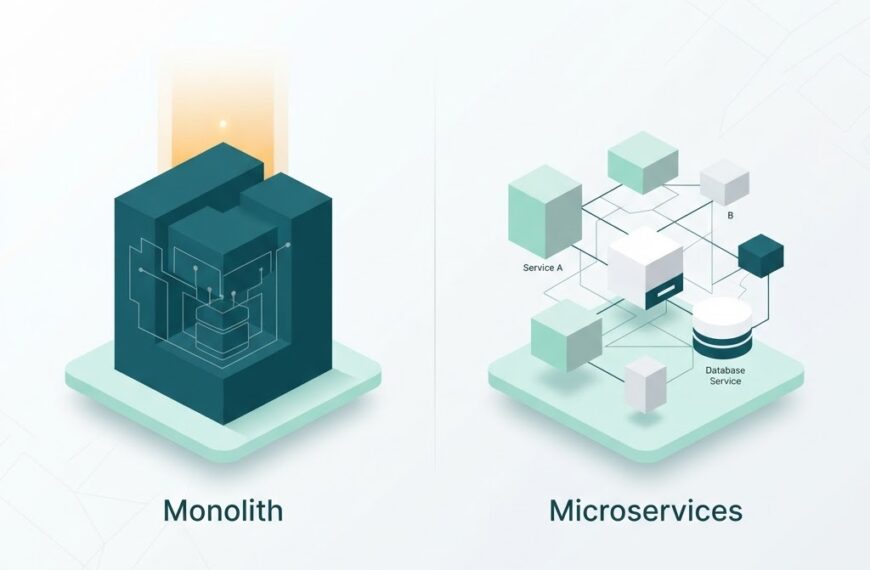
Because REST servers do not store session state, any server behind a load balancer can handle any request. This makes REST APIs easy to scale horizontally, which is one reason they pair so well with microservices architectures. For more on that connection, see our article on monolith vs microservices architecture.
Built-In Caching
HTTP caching headers let clients and intermediary proxies store responses. This reduces server load and improves response times for resources that do not change often. Caching is built into the protocol, so teams get it without extra engineering effort.
Common Mistakes Beginners Make With REST APIs
Understanding a few frequent pitfalls will help you avoid them early.
Using GET to Change Data
GET requests should only retrieve data. Using GET to create, update, or delete records can lead to unintended changes through caching, browser prefetching, or shared links. Always use POST, PUT, PATCH, or DELETE for any operation that modifies server state.
Ignoring Status Codes
Beginners often check only whether the response body looks right. But the status code tells you whether the request succeeded at the protocol level. A 401 means you need to authenticate; a 403 means you are authenticated but not authorized. Treating every non-200 response as “it failed” loses useful debugging context.
Overcomplicating Endpoints
Some teams design URLs that encode actions instead of resources, resulting in endpoints like /getUserData or POST /setUserStatus. REST works best when endpoints are noun-based and actions come from HTTP methods: GET /users/7, PATCH /users/7.
Not Versioning Your API
Every API evolves. Fields get renamed, endpoints get restructured, and response formats change. Without versioning (such as /v1/users), breaking changes hit every client at once. Versioning lets you introduce changes gradually without disrupting existing consumers.
How to Start Building a REST API
If you want hands-on practice, the path is straightforward.
- Choose a framework. Popular choices include Express.js (Node.js), FastAPI (Python), and Spring Boot (Java). All make it easy to define routes and return JSON.
- Define your resources. List the entities your API will expose (users, orders, products) and map each to a URL.
- Wire up the HTTP methods. For each resource, implement GET, POST, PUT/PATCH, and DELETE handlers.
- Return JSON responses. Use the right status codes for each outcome.
- Test with a client. Tools like Postman let you send requests and inspect responses without writing any front-end code.
- Document your endpoints. Use a specification like OpenAPI to publish a contract that other developers can read and code against.
REST in the Real World
If you work with software, analytics, or data, you will encounter REST APIs constantly. Payment gateways expose REST endpoints for charging cards. CRM platforms expose REST endpoints for managing contacts. Cloud storage providers expose REST endpoints for uploading and downloading files. Even the SaaS platforms that businesses rely on are almost all built on REST APIs internally.
For a product example, IdLabNet, Ideativemind’s laboratory information management system, integrates with lab instruments and third-party systems through web APIs built on the same REST principles described here. If your organization is exploring a custom API integration, contact us to talk through the specifics.
Summary
A REST API is a web service that follows the REST architectural style: resources identified by URLs, actions defined by HTTP methods, stateless communication, and JSON as the default data format. It is simple, language-independent, scalable, and built on the infrastructure the web already provides. That combination is why REST became the most common way to build and consume APIs on the internet today.
Whether you are learning web development, integrating a new tool into your stack, or just trying to understand what your engineering team is building, knowing how REST APIs work gives you a shared vocabulary for one of the most important patterns in modern software.

 By
By